
 By admin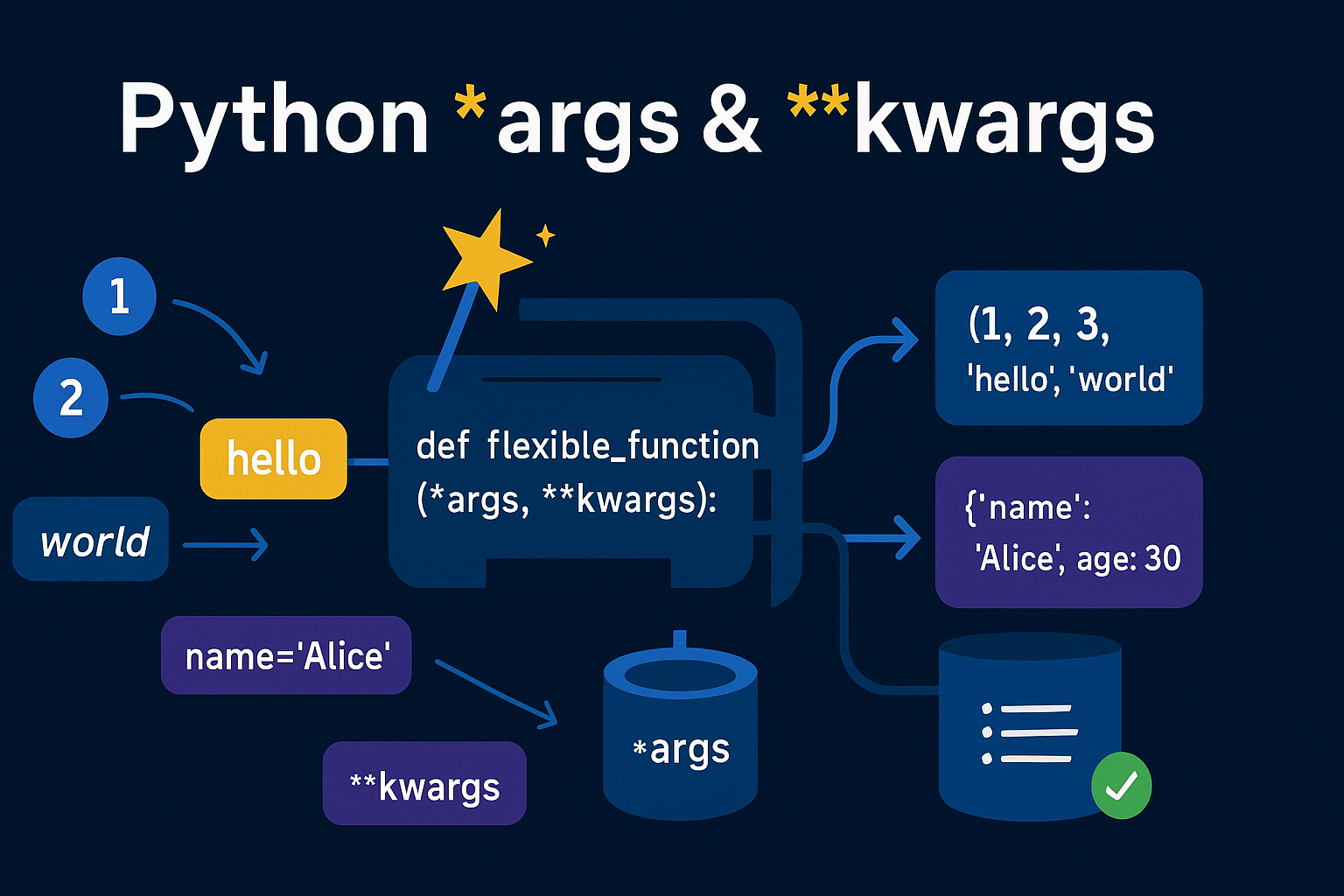
If you’ve spent any time looking at intermediate Python code, you’ve almost certainly encountered the cryptic syntax of *args and **kwargs in function definitions. To a beginner, they can look like magical incantations. What are they? Why the asterisks? And how do you use them without breaking everything?
Don’t worry. These are not as complicated as they seem. In fact, they are incredibly powerful tools that, once understood, will elevate your Python functions from rigid to remarkably flexible. Let’s demystify them together.
At their core,
*argsand**kwargsare simply tools that allow a function to accept a variable number of arguments. That’s it. They give your functions superpowers of flexibility.
What Are `*args`? The Power of Positional Arguments
Imagine you want to write a function that sums a list of numbers. You could start with something like this:
def add(a, b):
    return a + b

print(add(5, 10))  # Output: 15
But what if you need to add three numbers? Or ten? You’d have to keep changing your function definition. This is where *args comes in. The single asterisk `*` before a parameter name tells Python: “gather up any extra positional arguments that are passed into this function and pack them into a tuple.”
The `*args` Syntax in Action
The name args is just a convention; you could call it *numbers or *items. The asterisk is the important part. Let’s rewrite our `add` function.
def add_all(*numbers):
    total = 0
    # 'numbers' is now a tuple containing all the arguments
    print(f"Arguments received: {numbers}")
    for number in numbers:
        total += number
    return total

# Now we can call it with any number of arguments!
print(f"Sum: {add_all(1, 2, 3)}")
print(f"Sum: {add_all(10, 20, 30, 40, 50)}")
print(f"Sum: {add_all(5)}")
When you run this, you’ll see how *numbers collects all the inputs into a tuple, which you can then easily loop through. No matter how many numbers you pass, the function just works.
Unlocking `**kwargs`: The Magic of Keyword Arguments
Now that you’ve mastered `*args`, let’s look at its companion. The double asterisk `**` before a parameter name tells Python: “gather up any extra keyword arguments (e.g., `name=’Alice’`) and pack them into a dictionary.”
This is extremely useful for functions that need to handle a variety of optional settings or attributes.
The `**kwargs` Syntax in Action
Just like `*args`, the name kwargs (which stands for **k**ey**w**ord **arg**ument**s**) is a convention. The `**` is what matters.
Imagine a function that prints a user’s profile. Some users might have an age, others a city, and some might have both or neither.
def display_user_profile(name, **user_info):
    # 'name' is a required positional argument
    # 'user_info' is a dictionary holding all other keyword arguments
    print(f"User Profile for: {name}")

    if user_info:
        print("Additional Information:")
        for key, value in user_info.items():
            print(f"- {key.replace('_', ' ').title()}: {value}")
    else:
        print("No additional information provided.")

# Calling the function with different keyword arguments
display_user_profile("Alex")
print("---")
display_user_profile("Brenda", age=28, status="Active")
print("---")
display_user_profile("Charlie", age=42, city="New York", has_premium_access=True)
Notice how `**user_info` cleanly collects all the optional data into a dictionary, which we can then iterate over. This makes our function incredibly adaptable to different kinds of input.
The Grand Finale: Using `*args` and `**kwargs` Together
You can combine standard arguments, *args, and **kwargs in a single function to create the ultimate flexible tool. However, they MUST appear in a specific order.
The golden rule of function signatures is: Standard Arguments first, then `*args`, then `**kwargs`. The order is `def function_name(f_arg, *args, **kwargs):`
Let’s see a final example that logs a system event.
def log_event(event_type, *users_notified, **event_details):
    print(f"EVENT TYPE: {event_type.upper()}")

    if users_notified:
        print(f"Notifying users: {', '.join(users_notified)}")

    if event_details:
        print("Event Details:")
        for key, value in event_details.items():
            print(f"  - {key}: {value}")

# Let's log a system update
log_event(
    "System Update",
    "admin", "support-team",           # These will be captured by *args
    status="Completed",               # These will be captured by **kwargs
    timestamp="2024-10-27T10:00:00Z"
)
Bonus Genius Move: Unpacking with `*` and `**`
The asterisks can also be used to do the opposite: **unpack** a list or dictionary when *calling* a function. If you have a list of items, you can pass them as individual arguments to a function using `*`.
# A simple function that expects three arguments
def create_point(x, y, z):
    print(f"Creating a point at ({x}, {y}, {z})")

# A list of coordinates
coords_list = [10, 20, 5]

# Using * to unpack the list into individual arguments
create_point(*coords_list)
# This is the same as calling create_point(10, 20, 5)

# A dictionary of data
data_dict = {'x': 50, 'y': 100, 'z': -20}

# Using ** to unpack the dictionary into keyword arguments
create_point(**data_dict)
# This is the same as calling create_point(x=50, y=100, z=-20)
Conclusion: Go Forth and Be Flexible
You’ve now unlocked two of Python’s most flexible features. Don’t be afraid of *args and **kwargs anymore. See them for what they are: powerful tools that let you write cleaner, more adaptable, and more professional code. They are a sign not of complexity, but of good design.
Watch The Video
Watch on YouTubeHow did this article make you feel?
Share This Post

You Might Also Like

A complete step-by-step JavaScript tutorial for absolute beginners. Learn variables,…
 admin
admin 
Master Django authentication! This step-by-step guide shows beginner & intermediate…
Learn how to build a real-time live location tracking web application from scratch using…

Moving beyond standard CRUD applications is a hallmark of a growing developer. One of…